 Savoclip
Is it legal to download TikTok videos, Reels and Shorts?
Downloading a TikTok, Reel or Short is generally fine when the video is yours, when the creator has given permission, or when you use the app’s own download option to keep a copy for yourself. Re-uploading someone else’s video or making money from it without permission usually is not. Whether it is legal to download TikTok videos also depends on where you live and each platform’s terms.
This guide is general information, not legal advice. If money or a business is involved, talk to a lawyer where you live.
Who owns a TikTok, Reel or Short?
The person who made it. Under U.S. law, copyright starts the moment a work is created and recorded, and posting it publicly doesn’t give it away. Instagram’s terms, for example, say Instagram doesn’t claim ownership of what you post.
Music is separate. A song and its recording are their own copyrighted works. Unless the creator made the music, it belongs to other rights holders, such as songwriters and performers, so the creator can’t give you rights to it. Instagram also has rules on which audio comes with a download (more on Reels with no sound).
Saving for yourself vs. reposting or making money
| What you do | Usually | Why |
|---|---|---|
| Download your own video | Fine | You own it (maybe not the music) |
| Save it with the app’s own download option, for yourself | Fine | The platform allows it |
| Save it with another tool, for yourself | Depends | Your local law and the platform’s terms |
| Reuse it with the creator’s permission and credit | Fine | Check the music too |
| Use a short clip to comment on or review it | Maybe | Fair use or similar, case by case |
| Re-upload it as your own | Not OK | Infringement, and against platform rules |
| Put it in an ad, sell it, or earn money from it | Not OK without a license | Needs the rights holders’ permission |
Is it legal to download TikTok videos for yourself?
With TikTok’s own download option, yes: TikTok offers it only when the creator allows downloads. If you can’t find it, see why a TikTok video can’t be saved.
With an outside tool, there is no single answer:
- Copyright law differs by country. The U.S. has no general right to make a private copy of a video, so a personal copy usually comes down to fair use, which courts decide case by case. Some countries allow private copies; the UK has no general rule that does (more below).
- Platform terms may not allow it. Terms are a contract between you and the platform, and they can be stricter than the law.
What TikTok, Instagram and YouTube’s terms say
TikTok
- Creators control a Video downloads setting. When it’s off, other people can’t download their videos or photos in the app, including ones already posted. Private accounts and users under 16 can’t turn it on.
- TikTok’s U.S. Terms (updated July 15, 2026) say you can’t use another user’s content for commercial purposes unless they permit it. They also ban extracting content with automated software without TikTok’s written approval.
- TikTok’s terms differ by region.
- Anyone can download Reels from public accounts unless the creator turns this off. Private accounts’ Reels can’t be downloaded, and it’s off by default for users under 18.
- Downloaded Reels carry an Instagram watermark, the creator’s username and audio credit. Instagram’s Help Center says they can’t be used for commercial purposes.
- The Terms of Use ban anything that violates someone else’s rights, including intellectual property, but allow use under copyright exceptions. They also ban collecting information in an automated way without permission.
YouTube
- The Terms of Service let you watch content for personal, non-commercial use. They don’t allow downloading any content except “as expressly authorized by the Service” (YouTube Terms of Service), or with prior written permission from YouTube and, where relevant, the rights holders.
- YouTube’s own Download button saves videos for offline viewing inside YouTube, with YouTube Premium or, in some countries, without it.
Note: Breaking a platform’s terms can get your account suspended or closed, even if copyright law would allow what you did.
Fair use and other exceptions vary by country
- United States: Fair use can allow unlicensed use for purposes such as criticism, comment, news reporting, teaching and research. Courts weigh the purpose (commercial or not, and whether you add something new), the type of work, how much you use, and the harm to the original’s market. There is no safe number of seconds. When in doubt, the U.S. Copyright Office recommends getting permission.
- European Union: EU law lets each country allow private, non-commercial copies if rights holders get fair compensation, so the rules differ by country. The EU’s top court has said this can’t cover copies made from an unlawful source.
- United Kingdom: There is no general private-copying exception; one added in 2014 was quashed by the High Court. Fair dealing allows limited use for criticism, review, quotation, parody, caricature and pastiche, some of it only with credit to the source.
- Elsewhere: Check your country’s copyright office.
Do’s and don’ts
Do
- Download your own videos to back them up or post elsewhere (check the video specs for each app, or save a video to Photos on iPhone).
- Use the app’s own download option where the creator allows it.
- Ask before reusing someone’s video, credit them by @handle with a link, and keep their permission in writing.
Don’t
- Repost someone else’s video as your own.
- Crop, blur or cover a watermark or username to hide where a video came from.
- Monetize, sell or advertise with someone else’s video, or its music, without a license.
- Treat credit as permission. Credit is good manners, not a license.
How to ask a creator for permission
- Find a contact: a direct message, or the business email in their bio.
- Send the link to the video and say how you want to use it, where, and for how long.
- Say whether money is involved and how you’ll credit them.
- Wait for a clear yes in writing. If they say no or don’t answer, don’t use it.
For example:
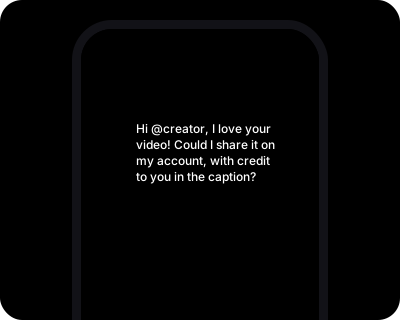
Hi @handle, I love your video [link]. Could I share it on my Instagram account @myaccount, with credit to you in the caption and a link to your profile? I won’t edit it or use it in ads, and I’ll take it down if you ask. Thanks either way!
What happens if you repost without permission
- Takedowns: The owner can report your post, and the platform can remove it.
- TikTok can ban accounts that repeatedly infringe copyright, and may ban an account at once for severe violations.
- Instagram can disable accounts that repeatedly infringe others’ intellectual property.
- YouTube gives a copyright strike when it removes a video after a legal removal request. Three strikes in 90 days can get your channel terminated. Separately, Content ID can match reused content, letting the owner block the video, run ads on it, or track it.
- Lawsuits: In the U.S., an owner whose work is used without permission may be able to sue.
For creators: how to report a copy
Start by messaging the person. If that fails, use the platform’s form. You must be the copyright owner or authorized to act for them, and false claims can lead to penalties, so consider fair use first.
- TikTok: Use the Report copyright infringement form or report in the app. You can ask TikTok to try to keep the same video from reappearing.
- Instagram: Open Meta’s intellectual property reporting form, choose Copyright → Next, then pick Instagram.
- YouTube: Submit a copyright removal request explains the webform and other ways to file.
To stop in-app downloads on TikTok, tap Profile → ☰ → Settings and privacy → Privacy → Downloads and turn off Video downloads. On Instagram, turn off Allow people to download your reels under More options when you share a Reel.
You can also ask us to block links to your video through our Copyright & DMCA policy. That doesn’t remove it from the platform.
Where Savoclip fits
Savoclip saves public TikTok videos, Instagram Reels and YouTube Shorts in your browser, with no app or sign-up, and doesn’t store videos. It doesn’t change who owns a video or override a platform’s terms. Our Terms say to download only content you own, have permission to use, or are legally allowed to use. When that’s the case, try our TikTok downloader, Instagram Reels downloader or YouTube Shorts downloader.
Sources
- TikTok U.S. Terms of Service (updated July 15, 2026)
- TikTok Help Center: Manage video downloads
- TikTok Intellectual Property Policy
- TikTok: Report copyright infringement
- Instagram Terms of Use
- Instagram Help Center: Who can download your Instagram reels
- Meta Intellectual Property Reporting Form
- YouTube Terms of Service (effective December 15, 2023)
- YouTube Help: Watch videos offline with YouTube Premium
- YouTube Help: Watch videos offline on mobile in select countries & regions
- YouTube Help: Understand copyright strikes
- YouTube Help: How Content ID works
- YouTube Help: Submit a copyright removal request
- U.S. Copyright Office: Fair Use Index
- U.S. Copyright Office FAQ: Copyright in General
- U.S. Copyright Office FAQ: Can I Use Someone Else's Work?
- U.S. Copyright Office: What Musicians Should Know about Copyright
- EUR-Lex: Directive 2001/29/EC, Article 5(2)(b)
- EUR-Lex: Court of Justice judgment C-435/12 (ACI Adam)
- UK Intellectual Property Office: Exceptions to copyright
- UK Intellectual Property Office: 2014 copyright changes, post-implementation reviews
Checked on November 17, 2026. Apps change often; if something here is out of date, tell us at [email protected].