 Savoclip
How to save YouTube Shorts to gallery on iPhone and Android
YouTube’s own Download button only saves videos for offline viewing inside the YouTube app, with YouTube Premium or, in some countries, for free, so it never puts a Short in your gallery or camera roll. To save YouTube Shorts to gallery as a real video file, download your own Short from YouTube Studio, get a copy from the creator, or use a web tool for a public Short you’re allowed to keep.
Below is each way, then how to move the file into your gallery on iPhone and Android.
Your options at a glance
| Way | Works for | What you get | A real file? |
|---|---|---|---|
| YouTube’s Download | Videos you watch; Shorts only in a limited way (see below) | An offline copy inside the YouTube app | No |
| YouTube Studio | Your own Shorts | MP4 in 720p or 360p | Yes |
| Ask the creator | Someone else’s Short | Whatever file they send | Yes |
| Savoclip | Public Shorts you’re allowed to keep | MP4 in HD or SD, or MP3 audio | Yes |
Why YouTube’s Download button won’t save to your gallery
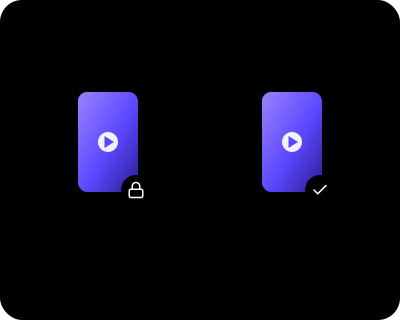
YouTube says downloads are stored encrypted on your device and can only be watched in the YouTube app. Your gallery and Photos app can’t see them. Offline downloads also:
- play only while you’re signed in to the same account;
- need an internet connection at least every 29 days, or every 48 hours in some countries;
- stop working if your Premium membership ends;
- don’t move to a new phone, even with the same account.
The YouTube app can’t save audio or MP3 files either.
Can you download Shorts offline at all?
Only in a limited way, and always inside the app.
- YouTube Premium: Smart Downloads automatically saves Shorts picked from your watch history, so you have something to watch offline. It started on Android, and YouTube made it fully available on iPhone in September 2025. YouTube’s help pages don’t describe downloading one Short you pick yourself.
- Premium Lite: YouTube says downloads aren’t available on Shorts.
- Free downloads in some countries: In a list of countries, including India, Indonesia and Nigeria, YouTube lets you download “certain videos” without Premium. It doesn’t say whether Shorts are included.
Download your own Shorts in YouTube Studio
If you made the Short, YouTube lets you save it as an MP4 file in 720p or 360p, depending on the video’s size. This only works for your own uploads.
On your phone
In the YouTube app:
- Tap your profile picture (You) at the bottom.
- Tap Your Videos.
- Tap the Shorts tab.
- Find the Short and tap its three-dot menu.
- Tap Save to device.

In the YouTube Studio app, the path is Content → Shorts → the three-dot menu next to the Short → Save to device.
YouTube’s help page doesn’t say which folder the file goes to. Look in your gallery or the Photos app first.
On a computer
- Go to studio.youtube.com and sign in.
- Click Content in the left menu, then the Shorts tab.
- Find the Short, click its three-dot menu, then click Download.
The MP4 goes wherever your browser saves downloads, usually the Downloads folder.
If it doesn’t work, check these:
- You can’t download a Short that was removed, has a copyright or Community Guidelines strike, or uses a preapproved audio track.
- You can download the same video up to five times in 24 hours. After a day, the option comes back.
- To save every video on your channel at once, YouTube points to Google Takeout.
Posting the same clip on TikTok or Reels? Check the video specs for each app. Moving your TikToks too? See how to download all your TikTok videos.
Someone else’s Short? Ask the creator
The simplest way to get another person’s Short is to ask for it. The creator can download it in YouTube Studio with the steps above and send you the file.
- Contact the creator and send the link to the Short.
- Say how you want to use it, where, and how you’ll credit them.
- Wait for a clear yes in writing before you use it.
Our guide to the rules on downloading social videos has a message you can copy.
Save a public Short with Savoclip
Savoclip works in Safari, Chrome or any other browser, with no app and no sign-up. It handles public Shorts only, and nothing is stored on our server. You can choose HD video where YouTube offers it, a smaller SD file, or MP3 audio.
- In YouTube, open the Short and tap Share → Copy link. Stuck? See how to copy a video link.
- Open our YouTube Shorts downloader, tap Paste, then Download.
- Choose HD or SD video, or MP3 audio for just the sound.
- Move the video into your gallery with the steps below.
Use it only for Shorts you’re allowed to keep: your own, ones the creator said yes to, or content whose license allows it. YouTube’s terms allow downloads only where YouTube offers them or with permission from YouTube and the rights holders, so a public Short isn’t automatically yours to save. Our guide on whether it’s legal to download social videos explains the basics.
If you share a saved Short, credit the creator by @handle and link to the original. Credit is good manners, but it doesn’t replace permission.
How to save YouTube Shorts to gallery on iPhone and Android
A video you download in your browser doesn’t go straight to your gallery. Here’s how to move it there.
iPhone
On iPhone, the file lands in the Files app, not in Photos.
- Open Files and tap Browse → Downloads. If you don’t see it, tap iCloud Drive first.
- Tap the Short to open it.
- Tap Share → Save Video.
- Find it in Photos → Collections → Recently Saved.
Downloaded it in Chrome? Look in On My iPhone → Chrome instead. Our guide to saving a video to Photos on iPhone covers iPad and what to do when Save Video is missing.
Android
On Android, the file lands in the Download folder.
- Open Google Photos.
- Tap Collections → On this device.
- Open the Download folder.
Gallery apps differ between phone makers. If yours doesn’t show the Short, open your file manager and look in Download, or follow our guide to finding downloaded videos on Android.
An MP3 won’t appear in Photos or your gallery, because they only show photos and videos. Look for it in Files on iPhone or in the Download folder on Android.
Saving from other apps too? See why a TikTok video can’t be saved and what to do when an Instagram Reel can’t be downloaded.
Sources
- YouTube Help: YouTube videos offline FAQs
- YouTube Help: Watch videos offline with YouTube Premium
- YouTube Help: Watch videos offline on mobile in select countries & regions
- YouTube Help: I can't watch the video I downloaded
- YouTube Help: Use Smart Downloads with YouTube Premium
- YouTube Community (TeamYouTube): Bringing our latest Premium features to more places (September 2025)
- 9to5Google: YouTube Premium rolls out high-quality audio, faster playback speeds, and more (September 26, 2025)
- YouTube Help: Get a Premium Lite membership on YouTube
- YouTube Help: Download YouTube videos that you've uploaded
- YouTube Help: Video clips & Shorts in YouTube Studio
- YouTube Help: Share videos and channels
- YouTube Terms of Service
- Google Photos Help: Find items from other apps & devices
- Apple Support: Where to find downloads on your iPhone or iPad
- Apple iPhone User Guide: Find recently saved photos and videos on iPhone
Checked on November 17, 2026. Apps change often; if something here is out of date, tell us at [email protected].